Features
Everything a team needs to run its work
The full list, grouped by area.
Boards and cards
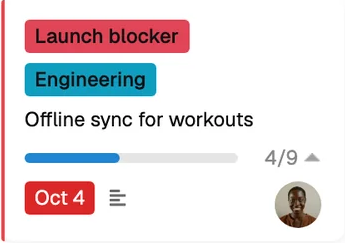
Lists and cards with labels, due dates, checklists, attachments, and comments with @mentions. Drag and drop between lists, duplicate a card, and time work with the built-in stopwatch.
- Labels
- Due dates
- Checklists
- Attachments
- @mentions
- Stopwatch
Gantt and calendar
A Gantt view with drag-to-reschedule, milestones, and deadline markers, plus a calendar of dated cards. Moving a bar changes the card's due date.
- Drag to reschedule
- Milestones
- Deadline markers
- Calendar

A morning brief on every project
Once a day PMAPP reads every board and writes a short brief: which clients are off track, why, and what to do first, citing the cards each point comes from. AI insights break it down into today’s actions, risk per client, who should take what, and capacity.
- Daily brief
- Risk per client
- Who should take what
- Capacity
- Cites its cards

An assistant you can type or talk to
Ask about any board in plain words and get a chart, a timeline or a table, with a recommendation on top. Ask for a change and it makes it: create and move cards, reassign, shift dates, set milestones, or turn a photo of a whiteboard into cards. Deleting, archiving and access changes wait for your approval. Tap Voice to talk it through; it answers out loud, in your language.
- Chat & live voice
- Charts & timelines
- Changes on request
- Approval before deleting
- Photos & documents to cards

Skills, freelancers and capacity
Everyone carries their skills and whether they are staff or freelance. Workload counts what each person has due in the next 7 and 30 days and marks anyone over or under capacity. Skills only one person has are listed as a risk, and a click shows who can cover each one.
- Skill profiles
- Staff & freelance
- Due in 7 / 30 days
- Capacity flags
- Single-person skills

My Work and workspace totals
My Work gathers every card assigned to you across boards, with tabs for what is overdue, due soon, blocked or still unassigned. The home page totals active, blocked, stale, overdue and at-risk cards across the whole workspace.
- Cross-board rollup
- Overdue & due soon
- Blocked work
- Workspace totals

Notes and a to-do list the assistant reads
Keep notes for yourself, or share them with everyone on a project. A private note can be about a project and still stay yours. Your to-do list holds your own items beside the cards assigned to you; tick a card and its due date is marked complete, or turn an item into a card. Ask the assistant about a project and it reads that project's notes first.
- Personal & project notes
- Private notes on a project
- Markdown
- Assigned cards included
- To-do to card
- AI context

Team and roles
Add people by email or a shareable link, and note whether each is an employee, a freelancer or a project manager, with their skills. Each board has its own roles: owner, admin, member, or read-only viewer.
- Email invites
- Shareable links
- Staff & freelance
- Board roles

Work on your boards from Claude or ChatGPT
Connect PMAPP to Claude or ChatGPT through MCP and use your boards from the chat you already have open: ask what is late, update or move a card, add a comment. It signs in with your PMAPP account and can do only what you can. On Studio and Enterprise, once a workspace admin turns it on.
- MCP
- Your permissions only
- Disconnect any time
- Studio & Enterprise
SSO, sessions, audit log
Single sign-on through your identity provider (OIDC), active-session management, and an audit log of who changed whose access or role. Archived items can be restored, and boards import and export as JSON. SSO is on the Studio and Enterprise plans, and each plan keeps a longer audit history than the one below it.
- OIDC SSO
- Session management
- Audit log
- JSON export
- Archive restore

In the browser, in your language
PMAPP runs in any modern browser, in English and Thai, with light and dark themes that follow your system. Native iPhone, iPad and Mac apps, with push notifications, are on their way to the App Store.
- Web app
- English & ไทย
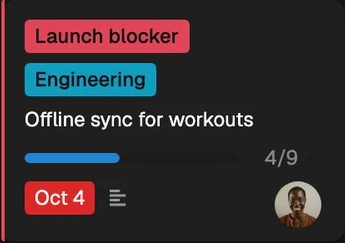
- Light & dark
- iPhone, iPad & Mac soon